Why kubeadm Over k3s, RKE2, and Talos in 2026
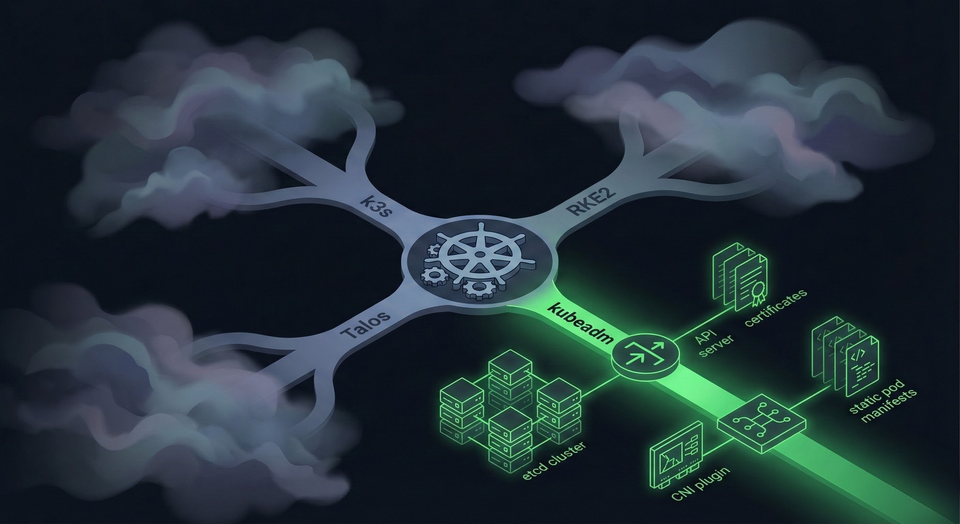
Every homelab Kubernetes guide tells you to install k3s. One command, thirty seconds, done. They're not wrong: k3s is excellent software. But if you're building a homelab to learn Kubernetes, not just to run it, you're optimizing for the wrong thing.
I run a 3-node HA cluster bootstrapped with kubeadm. Eight Ansible playbooks, each one mapping to a core Kubernetes concept. This post explains why kubeadm is a better teacher (not better software) than k3s, RKE2, or Talos, and proves it with real configs from my running cluster.
kubeadm: A Bootstrapper, Not a Distribution
When you run kubeadm init, you get four things:
- Static pod manifests in
/etc/kubernetes/manifests/ - A full PKI tree in
/etc/kubernetes/pki/with CA certificates, API server certs, etcd peer certs, and front-proxy certs. You'll learn what each one secures and what happens when they expire (hint: your cluster stops responding to API calls). - kubeconfig files for the admin, controller-manager, and scheduler
- A running control plane
What you don't get: no CNI, no ingress controller, no load balancer, no storage provisioner, no metrics server, no monitoring. You choose and install every single one.
That "missing" functionality is the entire point. Every component you add is a learning opportunity:
- Cilium installation forces you to understand what a CNI does and why nodes stay
NotReadywithout one - The
--skip-phases=addon/kube-proxyflag reveals that kube-proxy is an optional addon, not a kernel component - kube-vip for HA is your first lesson in static pods and ARP-based virtual IPs
- Gateway API only makes sense once you've grasped the relationship between GatewayClass, Gateway, and HTTPRoute
- Without Longhorn (or another storage backend), you learn firsthand that PersistentVolumes don't provision themselves
Every decision is explicit. Every component is inspectable. When something breaks, you know which component broke because they're separate pods with separate logs.
The 8-Playbook Cluster
My actual cluster, bootstrapped with 8 Ansible playbooks:
k8s-cp1   Ready   control-plane   v1.35.0   10.10.30.11   Ubuntu 24.04.3   containerd://1.7.28
k8s-cp2   Ready   control-plane   v1.35.0   10.10.30.12   Ubuntu 24.04.3   containerd://1.7.28
k8s-cp3   Ready   control-plane   v1.35.0   10.10.30.13   Ubuntu 24.04.3   containerd://1.7.28
Three Lenovo M80q mini-PCs (i5-10400T, 16GB RAM, 512GB NVMe each), running on VLAN 30 with 1GbE links. Each playbook maps to a Kubernetes concept:
| Playbook | What It Teaches |
|---|---|
00-preflight |
cgroup v2 requirements, kernel prerequisites, network connectivity |
01-prerequisites |
Container runtime config (SystemdCgroup), kubelet dependencies, package holds |
02-kube-vip |
Static pod manifests, ARP-based VIP, the K8s 1.29+ super-admin.conf workaround |
03-init-cluster |
kubeadm init --config --upload-certs --skip-phases=addon/kube-proxy |
04-cilium |
CNI installation, eBPF kube-proxy replacement, Gateway API enablement |
05-join-cluster |
Token management, certificate distribution, serial joins for cluster stability |
06-storage-prereqs |
Longhorn dependencies (open-iscsi, NFSv4), multipath blacklisting |
07-remove-taints |
Allow workloads on control plane nodes (homelab-specific) |
With k3s, all eight playbooks collapse into:
curl -sfL https://get.k3s.io | sh -
One command. Zero decisions. Zero learning.
What the Cluster Actually Looks Like
Five static pod manifests on each control plane node:
/etc/kubernetes/manifests/
├── etcd.yaml
├── kube-apiserver.yaml
├── kube-controller-manager.yaml
├── kube-scheduler.yaml
└── kube-vip.yaml
A 3-member etcd cluster with TLS mutual authentication:
+------------------+---------+---------+--------------------------+--------------------------+
|        ID        | STATUS  |  NAME   |       PEER ADDRS         |      CLIENT ADDRS        |
+------------------+---------+---------+--------------------------+--------------------------+
| 3caeb4a08800f76b | started | k8s-cp3 | https://10.10.30.13:2380 | https://10.10.30.13:2379 |
| 7cfdbf987361d5d1 | started | k8s-cp2 | https://10.10.30.12:2380 | https://10.10.30.12:2379 |
| e3786087601fcba8 | started | k8s-cp1 | https://10.10.30.11:2380 | https://10.10.30.11:2379 |
+------------------+---------+---------+--------------------------+--------------------------+
Cilium 1.18.6 with eBPF kube-proxy replacement, Gateway API, and L2 Announcements. No kube-proxy DaemonSet anywhere:
# helm/cilium/values.yaml (excerpt)
kubeProxyReplacement: true
gatewayAPI:
  enabled: true
l2announcements:
  enabled: true
k8sServiceHost: "10.10.30.10"  # VIP (required for kube-proxy-free mode)
k8sServicePort: "6443"
One Gateway serving 16 HTTPRoutes across production, dev, and staging environments — GitLab, Ghost, Grafana, Longhorn, AdGuard, and more:
NAMESPACE        NAME              CLASS    ADDRESS       PROGRAMMED
default          homelab-gateway   cilium   10.10.30.20   True
This is a production-grade setup. 21 namespaces, 112 pods, 10 Helm releases. And I understand every layer because kubeadm made me build each one.
What k3s and RKE2 Hide
k3s ships as a single binary that bundles Flannel, CoreDNS, Traefik, ServiceLB/Klipper, a NetworkPolicy engine, local-path-provisioner, Spegel, and containerd. Eight components you never had to think about.
The catch: all control plane components run in a single process. You can't independently restart the API server, the scheduler, or the controller-manager. If Flannel has a networking issue, the error shows up in the same systemd journal as your API server logs. You're debugging "k3s," not "Kubernetes."
The default datastore is SQLite, not etcd. SQLite works fine for a single server, but it means you'll never practice etcd quorum management, backup/restore with etcdctl, or understand Raft consensus. These show up in production outages and on the CKA exam.
RKE2 fixes some of this: it swaps SQLite for etcd, replaces Flannel with Canal, and adds CIS Benchmark compliance via a single profile: "cis" config line. But security hardening is a process, not a toggle. When that CIS profile blocks a workload, a kubeadm user who applied those controls incrementally knows exactly which admission controller to check. The RKE2 user sees Forbidden and has to reverse-engineer what the profile actually did. Both distributions still run a single supervisor process. You still can't inspect individual static pod manifests because they're managed internally.
Talos Linux: The Future, But Not the Best Teacher
Talos Linux is the most opinionated of the four. It's not just a Kubernetes distribution; it's an entire operating system designed to run only Kubernetes.
- No SSH. No interactive shell. No package manager.
- Immutable filesystem. You can't modify the OS at runtime.
- API-only management. Everything goes through
talosctl.
This is genuinely the future of secure infrastructure. If I were running a cluster for a bank, Talos would be on my shortlist.
But for a homelab? The Talos docs say it plainly: "For Linux administrators, familiar actions still exist conceptually, but they are accessed through API calls rather than local commands." You learn the Talos API, not Kubernetes operations. Your troubleshooting skills become Talos-specific (talosctl services, talosctl dmesg), not transferable to the Ubuntu, Debian, or Rocky Linux nodes you'll encounter in production.
etcd isn't a static pod on Talos. It's managed at the OS init level by machined. You can't kubectl exec into an etcd pod and run etcdctl member list. You can't strace a misbehaving kubelet. You can't inspect /proc/net/tcp to debug a networking issue. Sometimes learning requires getting your hands dirty with the Linux layer underneath Kubernetes, and Talos removes that layer entirely.
CKA Alignment: The Certification Argument
The Certified Kubernetes Administrator exam doesn't test k3s. It doesn't test Talos. It tests kubeadm.
The CKA domains and their weights:
| Domain | Weight | kubeadm Coverage |
|---|---|---|
| Cluster Architecture, Installation & Configuration | 25% | kubeadm init/join, etcd backup/restore, certificates |
| Workloads & Scheduling | 15% | Static pods, scheduler behavior, resource management |
| Services & Networking | 20% | CNI, DNS, NetworkPolicy — all manually installed on kubeadm |
| Storage | 10% | PV/PVC management, StorageClasses |
| Troubleshooting | 30% | Node failures, control plane debugging, log analysis |
The Architecture (25%) and Troubleshooting (30%) domains, over half the exam, test the exact components that k3s, RKE2, and Talos abstract away. The exam expects you to SSH into nodes, read static pod manifests in /etc/kubernetes/manifests/, check kubelet logs with journalctl, and use etcdctl with TLS certificates. A kubeadm homelab is CKA prep by default.
Across Reddit's r/kubernetes and CKA study communities, a pattern repeats: students who practiced on k3s or Minikube struggle with the clustering and troubleshooting sections. Students who used kubeadm find them natural, because they've been doing those exact operations in their homelab.
The Honest Trade-Off
kubeadm is harder. The difficulty is the value.
The downsides are real:
- More initial setup time. My first cluster took a weekend. k3s would have taken five minutes.
- More maintenance burden. Upgrades are manual:
kubeadm upgrade plan,kubeadm upgrade apply, drain, upgrade kubelet. k3s has a System Upgrade Controller that handles this automatically. - More things to break. When you install each component separately, each component can fail independently. (But you'll also know exactly which one failed and why.)
- No single binary. You need to manage kubeadm, kubelet, kubectl, and containerd separately. Package holds prevent accidental upgrades, but it's still more packages to track.
If you want a cluster that "just works" for running Home Assistant and Plex, use k3s. It's genuinely great software.
But if you want a cluster that teaches you how Kubernetes actually works, one that prepares you for the CKA, for production troubleshooting at 3 AM, for architecting platforms for your team: kubeadm is the only choice that doesn't skip the lesson.
What's Next
This post is the first in a series: "Building a Production-Grade Homelab." Each post dives into one layer of the stack, with real configs from this running cluster:
- Why kubeadm Over k3s, RKE2, and Talos in 2026 (you are here)
- HA Control Plane with kube-vip: No Load Balancer Needed
- Cilium Deep Dive: What Replacing kube-proxy Actually Means
- Gateway API vs Ingress: No Ingress Controller Needed
- Distributed Storage with Longhorn: 2 Replicas Are Enough
- The Modern Logging Stack: Loki + Alloy (Why Not Promtail)
- Alerting That Actually Wakes You Up: Discord, Email, and Dead Man's Switches
- Self-Hosted GitLab: CI/CD Without Cloud Vendor Lock-in
kubeadm gave me the foundation to understand all of it. Every post in this series builds on the architecture decisions made in those eight playbooks.
If you're still on the fence, start with the kubeadm getting started guide and one of those seven playbooks. The first cluster is the hardest. The second one proves you actually understood it.